
Unlock the Power of Facebook Ads
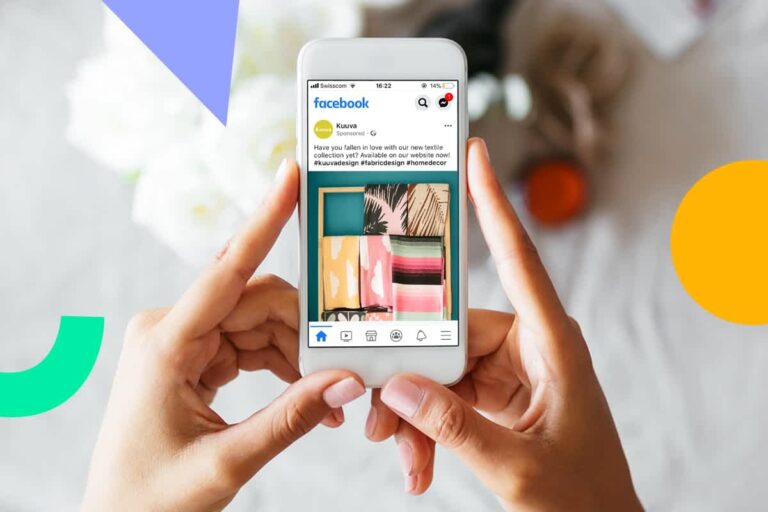
In the digital age, reaching your target audience has never been more crucial. With over 3 billion monthly active users, Facebook is a powerhouse for businesses looking to connect with potential customers. But simply having a Facebook page isn’t enough. To truly scale your business, you need a strategic approach—and that’s where Facebook Ads come in.
This guide will walk you through the entire process of running your first successful Facebook ad campaign, even if you’ve never touched an ad platform before. We’ll demystify the jargon, break down the steps, and give you the confidence to launch ads that get real results.
The Foundation - Before You Create Your First Ad
Before you jump into Meta Ads Manager, there are a few essential components you need to have in place. Think of this as laying the groundwork for a successful campaign.
1.1. Set Up Your Facebook Business Page: If you don’t have one already, create a dedicated Facebook Business Page. This is the home for your brand on the platform. Ensure your page is fully optimized with a profile picture, cover photo, “About” section, and contact information. An incomplete page can hurt your credibility and ad performance.
1.2. Understand the Difference: Boosted Post vs. Ad: A common mistake for beginners is thinking that boosting a post is the same as running an ad. While a boosted post is a simple way to increase the reach of a specific piece of content, it offers limited targeting and objective options. A full-fledged Facebook Ad campaign gives you far more control, flexibility, and power to achieve specific business goals.
1.3. Install the Meta Pixel: This is a non-negotiable step. The Meta Pixel is a small piece of code you install on your website. It allows Facebook to track user actions (like visiting a page, adding to cart, or making a purchase) and use that data to optimize your ads. The Pixel is the secret weapon for retargeting campaigns and understanding your customer’s journey.
Campaign Structure - Your Ad's Blueprint
A Facebook ad campaign is organized into three levels: Campaign, Ad Set, and Ad. Understanding this hierarchy is key to a smooth and effective ad creation process.
Campaign: This is the highest level where you define your overall marketing objective. What is the single most important thing you want to achieve with your ads?
Ad Set: Here, you define your audience, budget, schedule, and placement. You can have multiple ad sets within a single campaign to test different audiences or budgets.
Ad: This is the creative itself—the visuals and text your audience will see. You can have multiple ads within an ad set to test different images, videos, or ad copy.
Step-by-Step Facebook Ad Creation in Meta Ads Manager
3.1. Choose Your Campaign Objective: Log in to Meta Ads Manager and click the “Create” button. The first thing you’ll do is select a campaign objective. This tells Facebook what you want to achieve, and its algorithm will optimize your ad delivery to get you the best results for that specific goal. The main objectives include:
Awareness: For building brand recognition and reach.
Traffic: For driving people to a specific website or landing page.
Engagement: For getting more likes, comments, shares, or video views.
Leads: For generating sign-ups or customer information.
Sales: For driving e-commerce purchases or conversions.
3.2. Define Your Audience (The Most Important Step): This is where the magic happens. Facebook’s targeting capabilities are incredibly powerful. You can define your audience based on:
Demographics: Age, gender, location, language, education level, and relationship status.
Interests: Hobbies, pages they’ve liked, and topics they’re interested in (e.g., “yoga,” “small business,” “organic food”).
Behaviors: Purchase behavior, device usage, and more.
Custom Audiences: This is where your Meta Pixel comes in. You can target people who have visited your website, engaged with your social media content, or are on your email list.
Lookalike Audiences: Once you have a Custom Audience, you can create a “Lookalike” audience. Facebook will find new people who share similar characteristics with your best existing customers, allowing you to scale your reach effectively.
3.3. Set Your Budget and Schedule: You have two main budget options: a Daily Budget (a set amount to spend each day) or a Lifetime Budget (a total amount to spend over the campaign’s duration). For beginners, a daily budget is often easier to manage. Start small, perhaps $5-$10 per day, and scale up as you see results.
3.4. Select Your Ad Placements: This is where your ad will be shown. Facebook’s default setting is “Advantage+ Placements,” which is a good choice for beginners as it automatically places your ad where it’s likely to perform best. You can also manually choose placements like Facebook Feeds, Instagram Stories, Audience Network, and Messenger.
The Ad Creative - Writing Copy and Designing Visuals that Convert
This is the part of the ad your audience will see. An effective ad creative consists of compelling copy and eye-catching visuals.
4.1. Crafting Your Ad Copy: Your ad copy should be concise and value-driven. Follow these tips:
Hook them in the first sentence: Grab their attention immediately.
Focus on the benefit, not just the feature: Explain how your product or service solves a problem for them.
Keep it simple: Avoid jargon and write in a conversational tone.
Include a clear Call to Action (CTA): Tell your audience exactly what you want them to do next (e.g., “Shop Now,” “Learn More,” “Sign Up”).
4.2. Designing Your Ad Visuals: The visual element is what stops the scroll. Choose high-quality images or videos that are relevant to your product and audience.
Images: Use professional, high-resolution images. Avoid using stock photos that look generic. Lifestyle photos that show people using your product often perform well.
Videos: Short, engaging videos (under 15 seconds) are extremely effective on Facebook. Consider adding captions, as many people watch videos with the sound off.
Carousel Ads: This format allows you to showcase multiple products or features in a single ad, which is excellent for e-commerce.
The Funnel Approach - Scaling Your Advertising Strategy
A single ad campaign is a good start, but a truly successful strategy involves a marketing funnel. This means running different ads for different stages of the customer journey.
Top of Funnel (Awareness): Target a broad “cold” audience with content that introduces your brand and provides value.
Middle of Funnel (Consideration): Target people who have engaged with your brand (Custom Audiences). Show them product benefits and testimonials to build trust.
Bottom of Funnel (Conversion): Retarget people who have visited specific pages on your website (e.g., product pages or a cart page). Offer a limited-time discount or free shipping to encourage them to complete the purchase.
Analyze and Optimize - Making Your Ads Better
Launching an ad campaign is just the beginning. The real work is in the analysis and optimization.
6.1. Monitor Your Key Metrics: In Meta Ads Manager, track metrics like:
Reach: The number of people who saw your ad.
Frequency: How many times, on average, a person saw your ad.
Click-Through Rate (CTR): The percentage of people who clicked on your ad. A higher CTR indicates your ad is relevant.
Cost Per Result: The average cost for each conversion or action.
Return on Ad Spend (ROAS): The revenue generated for every dollar spent on ads.